Why Your WordPress Schema Plugin is Failing the Google Rich Results Test
Constantly getting 'unparsable structured data' errors in Google Search Console? Here's the exact technical reason why WordPress schema plugins fail, and how to fix it.
Key Takeaways
- Empty string fields are the #1 cause of schema validation failures from WordPress plugins
- WordPress plugins use static templates that output blank fields as
""instead of removing them - Google's validator treats
""as a fatal error — one empty field breaks your entire schema - Smart pruning automatically removes empty fields before generating code
- Copy-paste injection is safer than relying on plugins to generate code on the fly
If you manage local SEO for multiple clients, you know the exact feeling: You open your inbox on a Monday morning and see a dreaded alert from Google Search Console: "Unparsable structured data issue detected."
You paste the client's URL into the Google Rich Results Test, and there it is — a glaring red syntax error. Your rich snippets drop from the search results, and your client's visibility in Google's AI Overviews vanishes.
Here's the uncomfortable truth: If you're using a standard WordPress SEO plugin to generate schema, you aren't alone. This isn't user error — it's a structural flaw in how these plugins are built.
The Root Cause: "Dumb" Field Mapping#
WordPress plugins are built for the masses. They use static templates to generate JSON-LD script.
When you set up LocalBusiness schema or Organization schema in a plugin, it gives you a long list of fields to fill out: Name, Address, Phone, Price Range, Fax Number, and dozens more.
But what happens if your client doesn't have a Fax Number? Or what if they're a service business that doesn't display a specific Price Range?
You leave the field blank in the WordPress dashboard. Seems reasonable.
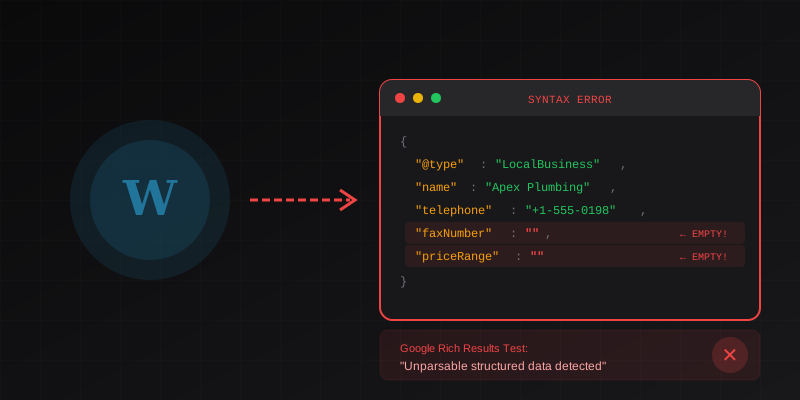
But because the plugin uses a static template, it still renders the field in the code, outputting an empty string.
The generated code looks like this:
{
  "@context": "https://schema.org",
  "@type": "LocalBusiness",
  "name": "Apex Plumbing",
  "telephone": "+1-555-0198",
  "faxNumber": "",
  "priceRange": ""
}
To a human, it makes sense that those fields are empty. But to Google's strict parsing algorithm?
Google Hates Empty Strings
To Google's schema validator, an empty string ("") for a required or recommended property is a fatal syntax error. It breaks the parsing of the entire script. One missing variable, and your entire structured data strategy is invalidated.
The Old Fixes (That Waste Agency Time)#
Historically, agencies had two ways to fix this:
1. Fake the Data#
SEOs would type "N/A" or "$$" into fields just to satisfy the plugin. This feeds inaccurate data to Google's Knowledge Graph — not exactly best practice.
2. Custom PHP Coding#
Developers would write custom hooks into the WordPress functions.php file to manually strip out empty fields before the page loads.
// The old way: Custom PHP to strip empty schema fields
add_filter('wpseo_json_ld_output', function($data) {
    return array_filter($data, function($value) {
        return $value !== '';
    });
});
Both methods waste valuable agency hours and are impossible to scale across 20+ client websites.
The 2026 Solution: Smart Pruning & Raw Injection#
The modern technical SEO workflow is moving away from bloated WordPress plugins entirely.
Instead of relying on a CMS to generate code on the fly, top agencies are moving to Stateless Raw Script Injection.
This means:
- Generate a flawless, static JSON-LD script outside of WordPress
- Copy-paste it into the
<head>of the client's website - Use Google Tag Manager or a simple header script plugin for injection
How Smart Pruning Works#
When you enter your client's data into a schema generator with smart pruning:
You Fill Out the Form
Enter only the fields you have data for. Leave fax number blank? No problem.
The Engine Analyzes Your Input
The algorithm evaluates every single field in real-time.
Empty Fields Are Pruned
If a field is blank, the algorithm dynamically restructures the JSON-LD tree to completely remove the property — not output an empty string.
You Get Clean Code
The result is mathematically perfect, 100% Google-compliant code that passes the Rich Results Test on the first try.
The Output Difference#
WordPress Plugin Output:
{
  "@type": "LocalBusiness",
  "name": "Apex Plumbing",
  "telephone": "+1-555-0198",
  "faxNumber": "",
  "priceRange": ""
}
SchemaDash Output:
{
  "@type": "Plumber",
  "name": "Apex Plumbing",
  "telephone": "+1-555-0198"
}
No empty strings. No missing commas. It is mathematically impossible to generate a syntax error.
Pro Tip
Notice we also used the specific schema type Plumber instead of generic LocalBusiness. Google prefers specificity — and SchemaDash automatically suggests the most specific subtype for your business category.
Why Agencies Are Switching#
| Problem | WordPress Plugin | SchemaDash |
|---|---|---|
| Empty field handling | Outputs "" (breaks) | Smart pruning (removes) |
| Schema type | Generic LocalBusiness | Specific subtypes |
| Validation | Manual testing | Pre-validated |
| Site speed | Plugin overhead | Zero bloat |
| Scalability | Per-site config | Generate once, paste anywhere |
Zero Syntax Errors#
It is virtually impossible to generate broken code. Every script passes the Google Rich Results Test on the first try.
Zero Site Bloat#
No heavy WordPress plugins slowing down your client's Core Web Vitals. Just copy the lightweight script and paste it into their <head>.
AI-Overview Ready#
Our structures are specifically mapped to feed Google's 2026 Knowledge Panel and AI search algorithms.
? Frequently Asked Questions
Why do WordPress plugins output empty strings?
WordPress plugins use static templates that map form fields directly to JSON properties. They don't have conditional logic to check if a field is empty before including it in the output. This is a design limitation, not a bug.
Can I fix this with a plugin update?
Some premium plugins have added conditional field output, but many popular free plugins still have this issue. Even when fixed, you're still relying on the plugin to generate code correctly every time — which introduces risk.
Is copy-paste schema better than plugin-generated?
Yes, for several reasons: (1) You validate the code before deploying, (2) It doesn't change when the plugin updates, (3) It doesn't add PHP overhead to your page load, and (4) You have full control over what's in your <head>.
How do I add schema without a plugin?
The simplest method is using Google Tag Manager to inject the JSON-LD script into your page headers. Alternatively, most themes have a "header scripts" section, or you can use a lightweight "Insert Headers and Footers" plugin that just injects static code.
Will Google penalize me for schema errors?
Google won't penalize your rankings directly, but your rich snippets will disappear. This means lower click-through rates, less visibility in AI Overviews, and potential loss of your Knowledge Panel. The indirect impact on local SEO traffic is significant.
Stop Fighting With Plugins#
If you're tired of debugging schema errors and risking your clients' search visibility, it's time to upgrade your workflow.
SchemaDash generates Google-compliant JSON-LD in under 5 minutes:
- Select your business type from 20+ categories
- Fill in only the fields you have
- Get copy-paste ready code with zero empty strings
- Pre-validated to pass Rich Results Test every time
Stop copying broken JSON-LD from WordPress plugins. Start generating schema that actually works.
Generate Schema in Minutes, Not Hours
Stop copying JSON-LD from Stack Overflow. SchemaDash generates Google-compliant schema markup that passes the Rich Results Test every time.
Start Your Free TrialRelated Articles
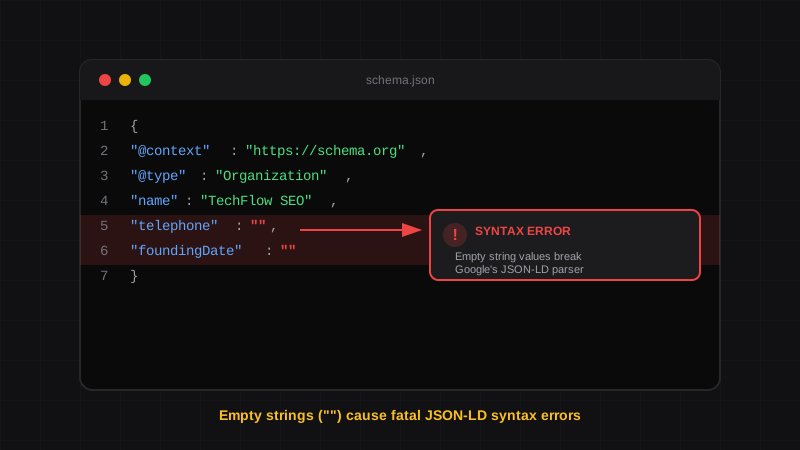
JSON-LD Syntax Errors: How to Fix Empty String Errors in Schema
Learn why empty strings cause fatal JSON-LD syntax errors in Google's Rich Results Test, and how to automate your schema to prevent them forever.
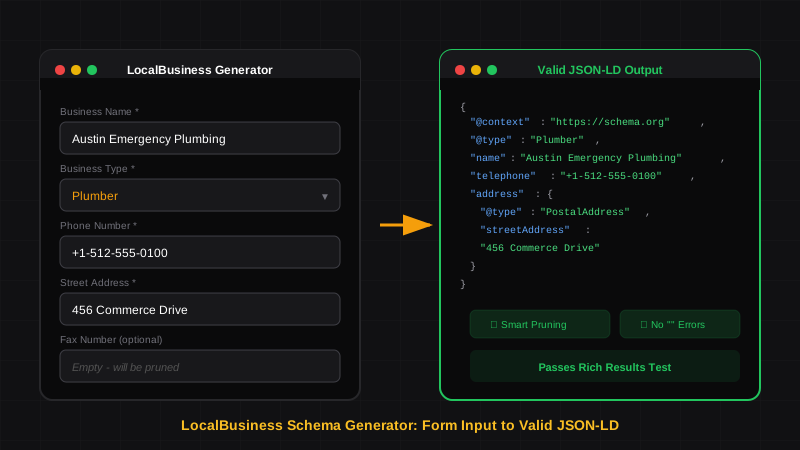
LocalBusiness Schema That Actually Works
Generate LocalBusiness schema markup that passes Google's Rich Results Test. Learn what makes a good schema generator and how to avoid common validation errors.
Schema Markup for Local SEO: How to Dominate Local Search in 2026
Learn how to implement LocalBusiness schema markup to boost your local SEO. Step-by-step guide with JSON-LD examples that pass Google's Rich Results Test.