JSON-LD Syntax Errors: How to Fix Empty String Errors in Schema
Learn why empty strings cause fatal JSON-LD syntax errors in Google's Rich Results Test, and how to automate your schema to prevent them forever.
Key Takeaways
- Empty strings (
"") cause fatal JSON-LD errors — Google's parser stops reading your entire schema when it hits one - CMS plugins and dynamic templates are the #1 cause — they output blank values when database fields are empty
- Manual fixes like "N/A" pollute Google's Knowledge Graph — feeding garbage data hurts your entity SEO
- Smart pruning automatically removes empty fields — the property simply doesn't exist in the output
- Zero-error schema is mathematically possible — with the right tool, you'll never see a syntax error again
There is nothing more frustrating than deploying a massive structured data update for a client, only to run it through the Google Rich Results Test and see a wall of red text.
Among all the parsing issues technical SEOs face, one of the most common—and most annoying—is the "Empty String" syntax error.
Here's the reality: If your JSON-LD script is failing because of empty quotes (""), your client's rich snippets, AI Overview linking, and Knowledge Panels are effectively dead in the water until you fix it. And if you're implementing schema markup for local SEO, even one syntax error can wipe out all your optimization work.
What is an Empty String Error?#
What is a JSON-LD empty string error?
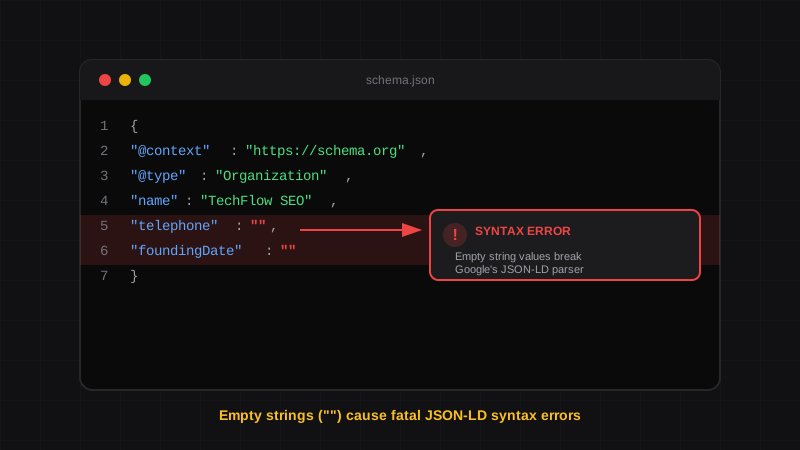
An empty string error occurs when a JSON-LD property has a blank value represented as "". Google's schema parser treats this as invalid syntax and rejects your entire structured data block, preventing rich results from appearing in search.
JSON (JavaScript Object Notation) is an incredibly strict data format. Unlike standard HTML, which will often "forgive" a missing closing tag, JSON requires absolute mathematical perfection.
A JSON-LD validation error that occurs when a schema property is declared with a blank value (""). This violates JSON syntax rules and causes Google to reject the entire structured data block, even if all other fields are valid.
Here's what it looks like in practice:
{
  "@context": "https://schema.org",
  "@type": "Organization",
  "name": "TechFlow SEO",
  "url": "https://techflowseo.com",
  "foundingDate": "",
  "telephone": ""
}
In this example, foundingDate and telephone are empty strings. To a human, this seems harmless—just fields that weren't filled in. To Google's strict JSON parser? It's a fatal error that invalidates everything.
Why Does This Happen?#
If you're hand-coding schema, you might accidentally leave empty quotes while using a template. But that's rare. The real culprit is almost always dynamic CMS variables.
When you use a CMS plugin or a dynamic script to pull data from a database, the code looks something like this behind the scenes:
{
  "telephone": "{{client_phone_number}}",
  "foundingDate": "{{company_founding_date}}"
}
Here's the problem: If the client hasn't provided a phone number, the database outputs nothing. The script renders "telephone": "", and the entire JSON-LD block instantly becomes invalid.
One Empty Field Breaks Everything
Google's Rich Results Test doesn't just flag the empty field—it throws a fatal error and ignores your entire schema. One missing phone number can invalidate hundreds of lines of otherwise perfect structured data.
This is the same fundamental issue that causes WordPress schema plugins to fail. They use static templates that don't check if values exist before outputting them.
The "Duct Tape" Fixes (And Why They Fail)#
Historically, technical SEOs and developers have used two workarounds to fix empty string errors. Both have serious problems.
Fix #1: The "N/A" Hack#
Some SEOs manually type "N/A", "None", or placeholder text into empty CMS fields just to prevent the syntax error.
Why it fails:
- Pollutes the Knowledge Graph — You're feeding Google garbage data
- Hurts entity SEO — Inaccurate business information damages your Knowledge Panel
- Looks unprofessional — "N/A" showing up in rich results looks terrible
- Doesn't scale — Impossible to maintain across dozens of clients
Don't Feed Google Fake Data
Google trusts your structured data. When you enter "N/A" or "$$" as placeholder values, you're actively polluting the Knowledge Graph with inaccurate information. This can hurt your entity SEO more than having no schema at all.
Fix #2: Custom If/Else Logic#
Developers write conditional PHP or JavaScript to check if each variable exists before rendering the JSON key:
// A tedious manual fix for every single field
const schema = {
  "@context": "https://schema.org",
  "@type": "Organization",
  "name": clientData.name
};

// Check each optional field individually
if (clientData.telephone) {
  schema.telephone = clientData.telephone;
}

if (clientData.foundingDate) {
  schema.foundingDate = clientData.foundingDate;
}

if (clientData.faxNumber) {
  schema.faxNumber = clientData.faxNumber;
}

// Repeat for every... single... field...
Why it fails:
- Time-intensive — Writing and testing conditional logic for 20+ fields takes hours
- Error-prone — Miss one field and you're back to debugging
- Maintenance nightmare — Every schema update requires code changes
- Doesn't scale — Multiply this by 20+ client websites
Schema markup with syntax errors is completely ignored by Google's parsers. There is no partial credit—one invalid field means zero rich results for your entire page.
The Permanent Fix: Smart Pruning#
The industry standard for high-end SEO agencies is to stop fighting with dynamic CMS variables entirely. Instead, they use Stateless Raw Script Injection with a dedicated schema engine that handles pruning automatically.
An algorithm that analyzes structured data input in real-time and automatically removes any properties with empty, null, or undefined values. Instead of outputting "telephone": "", the property is completely excluded from the JSON-LD output—guaranteeing valid syntax every time.
This is exactly how modern schema generators designed for local SEO work. Unlike WordPress plugins that output broken schema, dedicated tools handle edge cases automatically. Here's the process:
Enter Only the Data You Have
Fill out the fields you have information for. Don't have a founding date? Leave it blank. No fax number? Skip it entirely. No need to enter placeholder values.
The Engine Analyzes Your Input
The smart pruning algorithm evaluates every single field in real-time, checking for empty strings, null values, and blank arrays.
Empty Fields Are Automatically Removed
If a field is blank, the algorithm doesn't output an empty string. Instead, it completely removes the property from the JSON-LD tree. The key simply ceases to exist in the final output.
You Get Clean, Valid Code
The result is mathematically perfect JSON-LD that passes the Rich Results Test on the first try. No trailing commas. No empty strings. No errors. Ever.
The Output Difference#
Let's see exactly what smart pruning does to your schema output.
Without Smart Pruning (Broken)#
{
  "@context": "https://schema.org",
  "@type": "Organization",
  "name": "TechFlow SEO",
  "url": "https://techflowseo.com",
  "foundingDate": "",
  "telephone": "",
  "faxNumber": ""
}
Result: Fatal syntax error. Google ignores entire schema.
With Smart Pruning (Valid)#
{
  "@context": "https://schema.org",
  "@type": "Organization",
  "name": "TechFlow SEO",
  "url": "https://techflowseo.com"
}
Result: Valid schema. Passes Rich Results Test. Ready for deployment.
The empty fields don't exist in the output. There's nothing for Google to choke on. The JSON is clean, minimal, and mathematically valid.
| Approach | Empty String Handling | Result |
|---|---|---|
| Raw CMS Output | Outputs "" | Fatal error |
| "N/A" Hack | Outputs "N/A" | Pollutes Knowledge Graph |
| Manual If/Else | Requires custom code | Time-consuming, error-prone |
| Smart Pruning | Removes property entirely | Zero errors guaranteed |
Zero Errors, Guaranteed#
With proper smart pruning, it is mathematically impossible to generate a JSON-LD syntax error.
Every script you generate is 100% compliant with Google's 2026 Search Central guidelines and passes the Rich Results Test on the first try. You simply copy the flawless code and paste it into the <head> of your client's site.
This is why agencies using dedicated schema tools can deploy structured data for dozens of clients without ever seeing a red error message.
Pro Tip: Always Validate Before Deploying
Even with smart pruning, it's best practice to validate your schema before deploying to production. Paste your generated code into Google's Rich Results Test to confirm it passes with zero errors.
? Frequently Asked Questions
What causes empty string errors in JSON-LD?
Empty string errors occur when a JSON property has a blank value (""). This typically happens when CMS plugins or dynamic templates output database fields that don't have data. Google's parser treats empty strings as syntax errors and invalidates your entire schema.
Why does Google reject empty strings in schema markup?
Google's JSON-LD parser follows strict JSON syntax rules. An empty string in a structured data field provides no meaningful information and violates schema.org's expectations for property values. Rather than guess what you meant, Google rejects the entire script to avoid indexing inaccurate data.
Can I use 'N/A' or placeholder text to fix empty string errors?
Technically yes, but you shouldn't. Entering placeholder values like "N/A" or "None" pollutes Google's Knowledge Graph with garbage data. This can hurt your entity SEO and Knowledge Panel accuracy. The correct fix is to remove empty fields entirely using smart pruning.
How do I fix empty string errors in WordPress schema plugins?
WordPress schema plugins often output empty strings for unfilled fields. You have two options: write custom PHP filters to remove empty values before output, or use a dedicated schema generator with built-in smart pruning. Learn more about why WordPress schema plugins fail and how to fix them permanently.
What is smart pruning in schema markup?
Smart pruning is an algorithm that automatically removes properties with empty, null, or undefined values from JSON-LD output. Instead of rendering "telephone": "", the property is completely excluded from the schema. This guarantees syntactically valid output every time, with zero manual intervention.
Will empty string errors affect my search rankings?
Not directly, but the consequences will. If your schema has syntax errors, Google ignores it entirely. This means no rich snippets, no enhanced search appearances, and no Knowledge Panel data. The indirect impact on click-through rates and visibility can significantly affect your organic traffic.
Stop Debugging Empty Strings Forever#
If you're tired of hunting down missing commas and empty quotes in your clients' schema markup, it's time to automate the solution.
SchemaDash generates zero-error JSON-LD in under 5 minutes:
- Smart pruning removes empty fields automatically — no more syntax errors
- Every script passes Google's Rich Results Test — guaranteed valid output
- Copy-paste ready code — deploy to client sites instantly
- Works for all schema types — LocalBusiness, Organization, and 20+ more
Stop wasting hours debugging syntax errors. Start generating schema that actually works.
Generate Schema in Minutes, Not Hours
Stop copying JSON-LD from Stack Overflow. SchemaDash generates Google-compliant schema markup that passes the Rich Results Test every time.
Start Your Free TrialRelated Articles
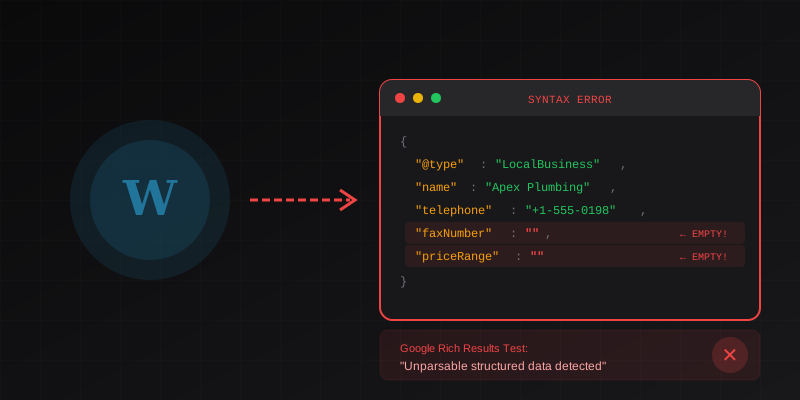
Why Your WordPress Schema Plugin is Failing the Google Rich Results Test
Constantly getting 'unparsable structured data' errors in Google Search Console? Here's the exact technical reason why WordPress schema plugins fail, and how to fix it.
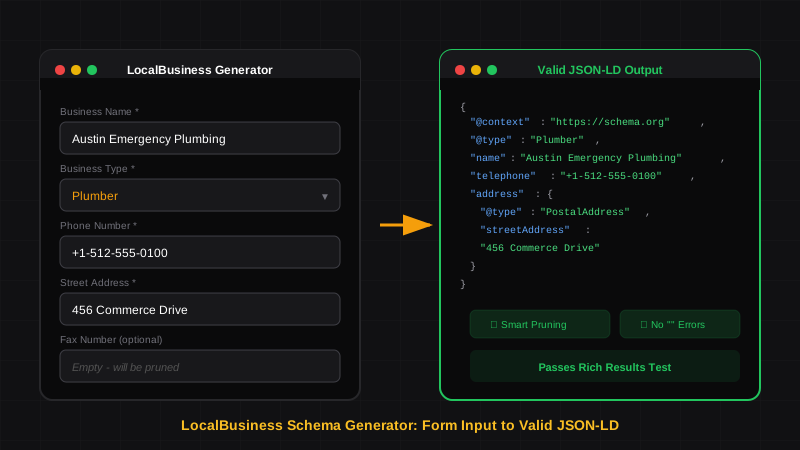
LocalBusiness Schema That Actually Works
Generate LocalBusiness schema markup that passes Google's Rich Results Test. Learn what makes a good schema generator and how to avoid common validation errors.
Schema Markup for Local SEO: How to Dominate Local Search in 2026
Learn how to implement LocalBusiness schema markup to boost your local SEO. Step-by-step guide with JSON-LD examples that pass Google's Rich Results Test.